
From a translator to a whole message
It started as a translator for my own messages. Then I added a way to turn rough notes into a finished message, and later dictation. Now it covers everything from a thought to a sent message.
macOS app
Select text in any Mac app and translate it in place with a shortcut. Add your writing style, turn rough notes into a message, or dictate at the cursor.
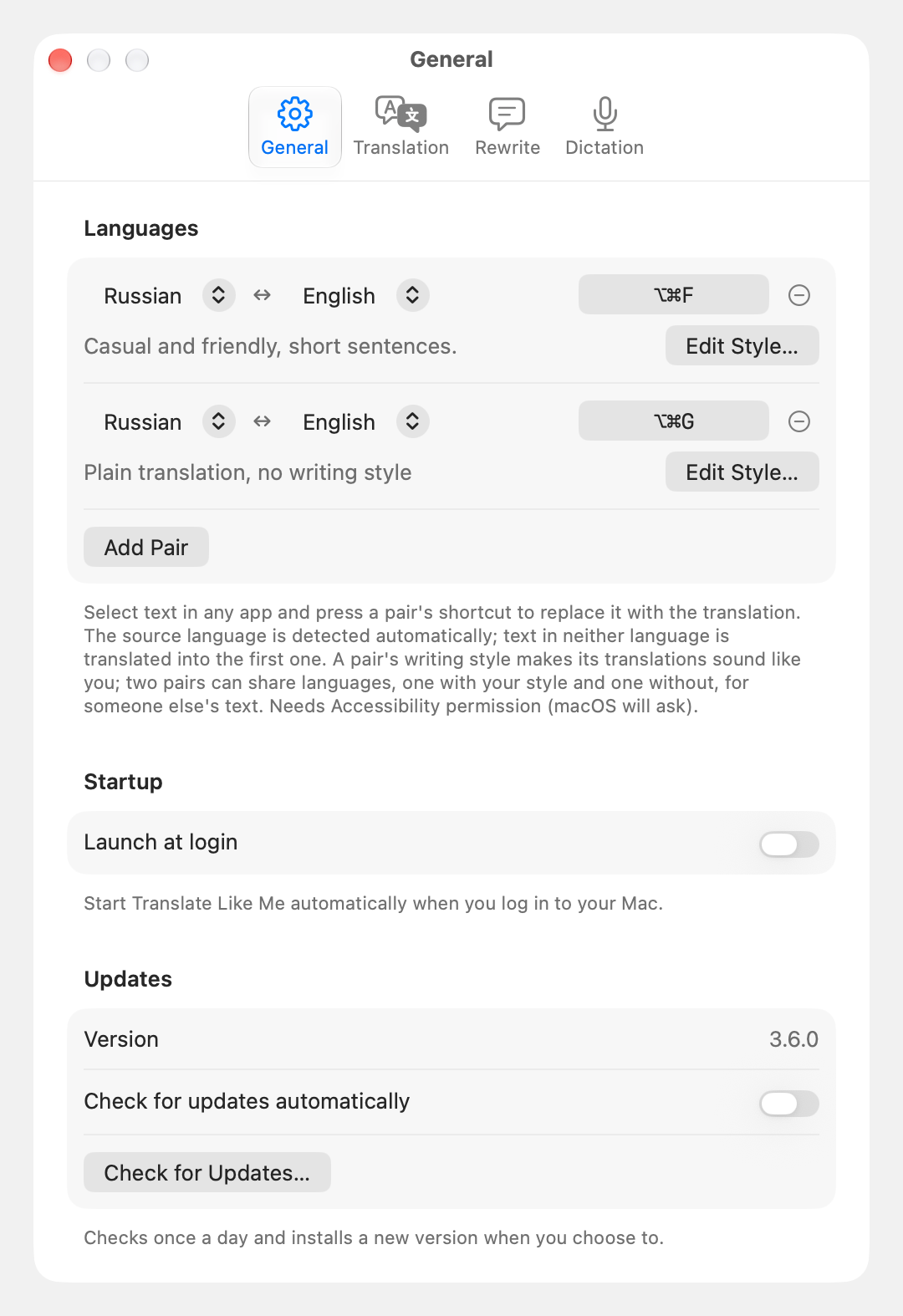
I have no illusions that I will ever know English better than Russian, so I built a translator that keeps my style.
It started as a translator for my own messages. Then I added a way to turn rough notes into a finished message, and later dictation. Now it covers everything from a thought to a sent message.
Select text in the app you are using and press a shortcut. The translation replaces your selection, so you can keep writing. Write in either language: the app works out which way to translate. Keep a few language pairs, each with its own shortcut and style.
Describe how you like to write. Use a different style for a personal message and a work email, or turn rough notes into a finished message with Rewrite. Select a message you received together with your notes, and Rewrite drafts your reply.
Hold a key, say what you want to write and release it. Your words appear where you were typing. Speech recognition happens on your Mac. Most players pause while you speak and resume afterwards.
Use a supported AI service or download a local option to translate on your Mac. Local options work without an account after the download. The lighter one is faster but less accurate.
If you switch apps or the text can’t be replaced, the result appears in a small window you can copy from. Your clipboard comes back as it was, and the menu keeps your last results until you quit.